
Welcome to WaffleGame! The gaming industry has moved beyond buying individual titles, with subscription services now giving players access to large digital libraries for a fixed monthly fee. Game Pass is one of the most popular options, offering hundreds of games across genres such as action, RPGs, racing, sports, and indie adventures. Instead of purchasing every game separately, players can explore a wide selection through one subscription, making it easier to discover new titles, try different genres, and get more value from their gaming budget.
Beyond its extensive game library, Game Pass includes a range of features that can enhance the overall gaming experience. Depending on the selected plan, members may receive benefits such as Xbox Cloud Gaming, day-one game releases, EA Play, online multiplayer, and exclusive member discounts. The service is available on Xbox consoles, Windows PCs, supported smart TVs, and compatible mobile devices, allowing players to access games across multiple platforms and enjoy greater flexibility in how and where they play.
What Is Game Pass?
Game Pass is Microsoft’s gaming subscription service that gives members access to a broad selection of quality games for a monthly fee. Instead of purchasing each title separately, subscribers can download or stream games from a variety of genres, including action, RPGs, racing, sports, and adventure. Since the game library is regularly updated with new additions and rotating titles, players have plenty of opportunities to discover and enjoy different gaming experiences.
Depending on the subscription plan, Game Pass can also include useful benefits such as Xbox Cloud Gaming, EA Play, member discounts, and access to selected games on their release day. The service works across Xbox consoles, Windows PCs, and other supported devices, providing a flexible way for players to explore a large gaming library without having to purchase every game individually.
How Game Pass Works
Getting started with Game Pass is straightforward. Begin by selecting a subscription plan that matches your gaming preferences and signing in with your Microsoft account. Once subscribed, you can browse the available game library through your Xbox console or the Xbox app and download compatible titles to your device. If your plan includes Xbox Cloud Gaming, supported games can also be streamed directly without needing to download them first.
Your game progress can be stored through cloud saves, allowing you to pick up where you left off on compatible devices. The Game Pass catalog is regularly refreshed as new games are added and some existing titles are removed from the service. This ongoing rotation keeps the library varied and gives subscribers new opportunities to explore different games and genres.
Why It Has Become So Popular
One of the biggest reasons Game Pass has gained widespread popularity is the value it provides. With one monthly subscription, members can explore a large library of games, including eligible day-one releases from Xbox Game Studios. Instead of paying full price for every new title, subscribers can play qualifying games as part of their membership, making it easier to try more games without purchasing each one separately.
Another key advantage of Game Pass is its flexibility across different platforms. Depending on the plan and device, players can enjoy games on Xbox consoles, Windows PCs, and supported devices through Xbox Cloud Gaming. Members may also receive benefits such as EA Play, exclusive discounts, cloud saves, and a regularly refreshed game catalog. Together, these features provide convenient ways for both casual gamers and dedicated players to discover new titles and enjoy a broader gaming experience.
Game Pass Plans Explained
Microsoft offers several Game Pass plans to suit different gaming preferences and budgets. Whether you mainly play on an Xbox console, use a Windows PC, or switch between supported devices, you can choose a subscription based on how you prefer to game. Although the plans provide access to gaming content, the specific features and benefits can vary depending on the option you select.
Certain plans may include benefits such as Xbox Cloud Gaming, EA Play, online multiplayer, and other member-exclusive perks. Reviewing the features of each option before subscribing can help you choose a Game Pass plan that fits your needs and avoid paying for features you may not use.
Game Pass Ultimate
Game Pass Ultimate is Microsoft’s premium subscription plan, combining many of the service’s major gaming benefits into one membership. It gives subscribers access to a broad library of games on Xbox consoles and Windows PCs, as well as Xbox Cloud Gaming on supported devices. Members may also receive online multiplayer, EA Play, exclusive perks, and discounts on selected games and downloadable content. Eligible Xbox Game Studios titles can also be available on the day they launch.
This plan can be a convenient choice for players who regularly switch between Xbox consoles, PCs, and supported mobile devices or want access to a wider selection of Game Pass features. Although Game Pass Ultimate costs more than some other subscription options, its combination of game access, cloud gaming, multiplayer, and additional member benefits can make it worthwhile for players who frequently use these features.
Best For
Game Pass Ultimate can be a suitable option for:
- Gamers who regularly switch between Xbox consoles, PCs, and other supported platforms
- Players who enjoy trying and playing a variety of different games
- Households that use Game Pass across multiple supported devices
- Gamers who travel frequently and appreciate the flexibility of Xbox Cloud Gaming
Pros
- Provides a more comprehensive Game Pass experience
- Offers added flexibility across supported devices and platforms
- Can provide good value for players who use the service frequently
- Includes a broad selection of premium features, perks, and member benefits
Cons
- Has the highest monthly subscription cost among the available Game Pass options
- Some casual players may not make full use of all the features and benefits included
PC Game Pass
PC Game Pass is designed for players who mainly enjoy gaming on Windows PCs. The subscription offers access to a diverse library of PC games, including popular indie titles, major releases, and eligible Xbox Game Studios games available on launch day. In supported regions, members may also receive EA Play, providing access to additional games and selected member benefits.
The Xbox app makes it easy to explore the PC Game Pass catalog, download and install games, manage updates, and organize your collection. For players who do not own an Xbox console, this plan provides a convenient way to access a wide range of PC games through a single subscription without paying for console-focused features they may not need.
Best For
- Dedicated PC gamers
- Players who primarily use Windows laptops or desktops
- Gamers who don’t own an Xbox console
Pros
- More affordable than Game Pass Ultimate
- Offers a strong selection of PC games
- Provides excellent value for regular PC players
Cons
- Does not include the console game library
- Cloud gaming availability may vary depending on the subscription plan and region
Game Pass Standard / Console Options
Game Pass Standard is aimed at Xbox console players who want access to a wide selection of games without choosing the higher-priced Ultimate plan. Subscribers can download and play numerous console titles, with the library regularly updated through new additions and rotating games. Depending on the region and current subscription terms, the plan may also provide online multiplayer and other member benefits.
This option can work well for gamers who primarily use an Xbox console and do not need premium features such as Xbox Cloud Gaming or the broader benefits included with Ultimate. With a lower subscription cost and access to an extensive game library, Game Pass Standard offers a straightforward option for both casual and regular console players.
Best For
- Xbox console owners
- Casual and occasional gamers
- Players looking for a more budget-friendly subscription
- Gamers who don’t need cloud gaming features
Pros
- Costs less than Game Pass Ultimate
- Provides a solid selection of console games
- Makes it easy to upgrade if you later need additional features
Cons
- Includes fewer premium features than Ultimate
- Offers less flexibility and fewer benefits compared with the Ultimate plan
Which Plan Should You Choose?
Choosing the right Game Pass plan depends on how you play, which devices you use, and how much you want to spend. If you regularly switch between multiple platforms and want access to features such as Xbox Cloud Gaming, EA Play, online multiplayer, day-one releases, and exclusive member benefits, Game Pass Ultimate is the most comprehensive option. It brings a wide range of gaming features together in one subscription, making it a strong choice for players who want the full Game Pass experience.
| Gamer Type | Recommended Plan | Reason |
| Casual Xbox player | Standard | Affordable with access to many console games |
| PC-only gamer | PC Game Pass | Best value for Windows users |
| Multi-device gamer | Ultimate | Includes console, PC, and cloud gaming |
| Family household | Ultimate | Works across multiple supported devices |
| Frequent traveler | Ultimate | Cloud gaming lets you play without a console |
If you’re unsure where to start, Game Pass Ultimate provides the most complete experience. However, players who only game on Windows PCs can save money by choosing PC Game Pass, while console-only gamers may find the Standard plan sufficient.
Read Also: xbox game pass ultimate
Game Pass Features
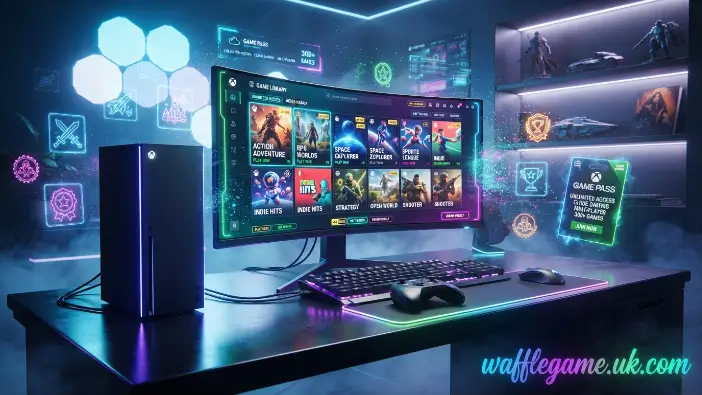
One of the biggest reasons gamers choose Game Pass is the wide range of features that go beyond its extensive game library. Depending on the subscription plan, members can access benefits such as Xbox Cloud Gaming, EA Play, online multiplayer, exclusive rewards, and day-one releases from Xbox Game Studios. These additional features make Game Pass more than just a game library, offering a convenient and flexible gaming experience with strong value for both casual players and dedicated gamers. For more helpful gaming information, explore our Guide section.
Day-One Game Releases
One of the key benefits of Game Pass is access to eligible Xbox Game Studios titles on their release day. Instead of purchasing each new first-party game separately at full price, subscribers can play qualifying releases as part of their membership. This gives players an opportunity to experience new games without paying an additional purchase cost for every eligible title.
Day-one access can be particularly useful for gamers who enjoy major releases and established Xbox franchises. As eligible new games are added to the service, subscribers can explore the latest releases through their membership and potentially spend less on individual game purchases.
Cloud Gaming
Xbox Cloud Gaming allows eligible Game Pass members to stream supported games without downloading or installing them on their device. Instead, the games run through Microsoft’s cloud infrastructure and are streamed over the internet. This can help reduce the need for local storage while giving players quick access to a variety of supported titles.
The feature also provides greater flexibility, as compatible games can be played on supported devices such as Xbox consoles, Windows PCs, smartphones, tablets, and select smart TVs. With a stable internet connection, game streaming offers a convenient way to start playing supported titles quickly and explore games without having to download them first.
EA Play Membership
Many Game Pass plans include EA Play, giving eligible subscribers access to a selection of games from Electronic Arts. Members can explore popular franchises such as EA Sports FC, Battlefield, Need for Speed, Mass Effect, and Dragon Age through the subscription, depending on availability and plan. This means players can enjoy included titles without purchasing each game separately.
In addition to its game library, EA Play may offer benefits such as early-access trials, selected in-game rewards, and discounts on eligible EA digital purchases. These features can add further value to Game Pass, especially for players who regularly enjoy Electronic Arts titles and want access to a wider range of games through one membership.
Multiplayer Benefits
Game Pass members can receive discounts on selected games, downloadable content, and add-ons available through the Microsoft Store. If a title is scheduled to leave the Game Pass catalog, subscribers may also have the opportunity to purchase it at a reduced price and keep it in their library after it leaves the service.
In addition to these savings, eligible members may receive extra perks such as in-game content, promotional offers, and bonus rewards. These benefits can help reduce the cost of digital purchases while providing additional value throughout a Game Pass subscription.
Member Discounts
Game Pass members can access discounts on selected games, downloadable content, and add-ons sold through the Microsoft Store. When a title is scheduled to leave the Game Pass catalog, subscribers may have the opportunity to buy it at a reduced price and keep it in their digital library even after it is removed from the service.
Membership can also include extra benefits such as in-game content, promotional deals, and bonus rewards. These perks can help subscribers save on eligible digital purchases while adding additional value to their overall Game Pass experience.
Best Games Available on Game Pass
One of the biggest advantages of Game Pass is its diverse game library, which includes hundreds of titles across a wide range of genres. Whether you enjoy action-packed adventures, immersive RPGs, realistic racing games, or family-friendly experiences, there are plenty of options to explore. Microsoft regularly refreshes the catalog by adding new games and removing selected titles, keeping the library dynamic and giving subscribers new experiences to discover.
- Action Games: Enjoy exciting combat and story-driven adventures with titles such as Halo Infinite, DOOM Eternal, and Gears 5.
- RPG Games: Explore expansive worlds and character-focused adventures in games like Starfield, The Elder Scrolls V: Skyrim, and Fallout 4.
- Racing Games: Experience fast-paced driving and open-world racing with Forza Horizon 5, Forza Motorsport, and selected Need for Speed titles.
- Indie Games: Discover creative gameplay and distinctive storytelling through games such as Hollow Knight, Tunic, and Celeste.
- Family-Friendly Games: Find entertaining titles suitable for a broad range of players, including Minecraft, Disney Dreamlight Valley, and Minecraft Dungeons.
- Shooter Games: Take part in fast-paced action with titles such as Battlefield through EA Play, Wolfenstein, and games from the Halo series.
- Sports & Simulation Games: Explore sports and simulation experiences such as EA Sports FC, MLB The Show where available, and Microsoft Flight Simulator.
- New Games Added Regularly: The Game Pass catalog is frequently updated with new additions, day-one releases, and other content. Since some titles eventually leave the service, checking the current library regularly can help you find and play games before they become unavailable.
Is Game Pass Worth It?
For many players, Game Pass provides excellent value by combining access to a large game library with a single monthly subscription. Instead of purchasing multiple games throughout the year, members can explore a wide variety of titles while enjoying benefits such as day-one releases, Xbox Cloud Gaming, and EA Play on eligible plans.
Whether you play occasionally or spend a lot of time gaming, choosing the right Game Pass plan can help you get more from your subscription. With its combination of variety, flexibility, and additional features, Game Pass offers a convenient way to discover and enjoy more games without buying every title separately.
For Casual Gamers
Even if you only spend a few hours gaming each week, Game Pass can provide a convenient way to access more games without purchasing each title individually. A single subscription covers a variety of genres, allowing casual players to try different games and discover new experiences while keeping their gaming expenses under control.
The regularly updated Game Pass library also gives casual gamers something new to explore throughout the year. New titles are added over time, while some games eventually rotate out of the catalog. This ongoing selection makes it easier to find interesting games without having to buy multiple titles separately.
For Hardcore Players
Frequent gamers can find plenty of value in Game Pass, thanks to its large and varied library of titles. With eligible day-one releases from Xbox Game Studios included with certain plans, subscribers can play new releases without needing to purchase every game separately at full price.
Regular players can also benefit from features such as Xbox Cloud Gaming, online multiplayer, EA Play, and member discounts, depending on their chosen plan. These features provide greater flexibility and give active gamers more ways to discover and enjoy games across different genres and supported devices.
For PC Users
PC Game Pass is a convenient subscription option for Windows gamers who want access to a broad range of PC titles without purchasing each game individually. The service offers a large game library, eligible Xbox titles on launch day, and EA Play in supported regions, while providing a lower-cost alternative to the Ultimate plan.
For players who mainly use a desktop or laptop, PC Game Pass provides a flexible way to explore different games and genres. Through the Xbox app, subscribers can browse the catalog, download and install games, manage updates, and organize their library. Regular additions to the service also give members new titles and gaming experiences to discover over time.
For Families
Families can benefit from the variety offered by Game Pass, with a broad selection of games covering different ages, interests, and play styles. Family-friendly titles such as Minecraft, along with many other accessible games, can provide entertainment options for both younger and older players.
Parents can also use Microsoft’s parental control tools to manage features such as screen time, content access, and online interactions. With one subscription providing access to a large collection of games, Game Pass can be a convenient option for households where multiple family members enjoy gaming.
How to Subscribe to Game Pass
Signing up for Game Pass is a simple process that can give you access to a large selection of games in just a few steps. Before subscribing, make sure you have a Microsoft account, a compatible device, and a stable internet connection. After activating your membership, you can browse the Game Pass catalog, download supported games, or use Xbox Cloud Gaming if the feature is included in your plan and available in your region.
Your Game Pass membership may renew automatically based on your billing settings. If you prefer not to continue the subscription, you can disable recurring billing through your Microsoft account before the next billing date. This helps prevent the membership from renewing automatically when the current subscription period ends.
Step 1: Create or Sign In to Your Microsoft Account
To get started with Game Pass, visit the official Xbox website or open the Xbox app on your Xbox console or Windows PC. Sign in with your Microsoft account, or create one if you are new to the service. Your account helps manage important information, including your subscription, purchases, achievements, and cloud saves, in one convenient place.
Once signed in, open the Game Pass section to explore the available subscription plans. Compare the pricing, features, and supported devices offered with each plan before making your choice. Reviewing these details can help you select a Game Pass subscription that matches your gaming preferences, devices, and budget.
Step 2: Choose the Right Game Pass Plan
Choose the Game Pass plan based on your preferred gaming platform, features, and overall needs. Game Pass Ultimate combines console and PC gaming with benefits such as Xbox Cloud Gaming, online multiplayer, EA Play, and additional member perks. PC Game Pass is designed for Windows PC players, while Game Pass Standard focuses on Xbox console users who want access to a broad selection of games without choosing the higher-priced Ultimate option.
Before subscribing, review the current monthly price, included features, supported devices, and billing terms for your region. Promotional pricing or trial offers may also be available at certain times. Comparing the available options carefully can help you select a Game Pass plan that suits your gaming habits and budget.
Step 3: Complete Your Purchase and Start Playing
Enter your preferred payment information and complete the subscription process. Once the payment is confirmed, your Game Pass membership will become active, giving you access to the games and features included with your selected plan.
For a smoother gaming experience, you can download supported titles directly to your Xbox console or Windows PC. If Xbox Cloud Gaming is included with your plan and available on your device, you can also stream compatible games without downloading them. The Xbox app makes it easier to manage downloads, discover recommended titles, track achievements, and keep your gaming progress synchronized across supported devices.
Payment Methods
Microsoft provides several payment methods for Game Pass, although the available options can vary depending on your country or region. Subscriptions generally renew automatically at the end of each billing period, but you can cancel your membership or disable recurring billing through your Microsoft account.
Common payment methods for Game Pass may include:
- Credit cards, including Visa, Mastercard, and American Express
- Debit cards
- PayPal, where supported
- Microsoft account balance
- Xbox or Microsoft gift cards
- Digital subscription codes purchased through authorized retailers
Tip: If you have a Game Pass gift card or digital subscription code, you can redeem it through your Microsoft account to add subscription time. This can be a convenient option if you prefer not to provide a credit or debit card during checkout.
Common Game Pass Problems and Solutions
Although Game Pass is designed to make gaming more convenient, users may occasionally experience problems such as installation failures, subscription errors, or connectivity issues. Many of these common problems can often be resolved by following a few simple troubleshooting steps.
Start by checking that your Xbox console, Windows PC, and Xbox app are running the latest available updates. You should also verify that your internet connection is stable and that you are signed in with the correct Microsoft account. These basic checks can resolve many Game Pass issues and help you return to gaming with minimal interruption.
Can’t Install Games
If you are having trouble installing a game through Game Pass, first check that your Xbox console or Windows PC has enough free storage space. Make sure both your device software and the Xbox app are updated to the latest available versions. Restarting your device and confirming that your Game Pass subscription is still active can also resolve basic installation problems.
You should also verify that the game is available in your region and supported by your current subscription plan. If the problem continues, clearing the Xbox app cache or reinstalling the app may help resolve ongoing installation errors. After completing these steps, try starting the download again to see if the issue has been resolved.
Subscription Not Working
If your Game Pass subscription is not being recognized, begin by signing out of your Microsoft account and then signing back in. Check your subscription status through your Microsoft account to confirm that the membership is active and that your most recent payment was processed successfully.
If you still cannot access your Game Pass benefits, restart your Xbox console or Windows PC and make sure your internet connection is working properly. You should also review your saved payment method, as an expired card or unresolved billing issue may temporarily affect your subscription access. Resolving any outstanding payment problem and signing in again can often restore the expected benefits.
Xbox Cloud Gaming Issues
If Xbox Cloud Gaming is experiencing lag, interruptions, or frequent disconnections, begin by checking your internet connection. A stable and reliable network is essential for a smoother game streaming experience. Switching to a stronger Wi-Fi connection or using a wired network can help improve stability and reduce performance problems.
You can also close unnecessary background applications and reduce other activities or devices that may be using your network bandwidth. Make sure you are accessing cloud gaming through a supported browser or compatible device. If the problem continues, check the Xbox service status for any temporary outages before trying further troubleshooting steps.
Sign-In Errors
Sign-in problems with Game Pass can occur because of incorrect account credentials, temporary service interruptions, or an unreliable internet connection. Start by confirming that your Microsoft account information is correct and that your Xbox console or PC is connected to a stable network.
If you still cannot sign in, restart your device and try again. You can also reset your Microsoft account password if you suspect your credentials are incorrect. Keeping the Xbox app and device software updated may also help resolve compatibility or account-related issues. These simple steps can often restore access to your Game Pass membership.
Slow Downloads
Slow download speeds can increase the time needed to install games through Game Pass. To improve download performance, pause other active downloads, close applications that are using your internet connection, and restart your router if needed. Limiting network activity on other connected devices can also free up bandwidth for your game download.
For more consistent performance, try downloading games during periods when your network is less busy and use a wired Ethernet connection whenever possible. Also, check that your Xbox console or Windows PC has enough free storage and is running the latest system updates. These steps can help improve download stability and make Game Pass installations more efficient.
Tips to Get the Most from Game Pass
Getting the most out of Game Pass is simple when you make use of its available features and regularly explore the game library. From trying Xbox Cloud Gaming before downloading a title to claiming member perks, a few smart habits can help you discover more games while making better use of your subscription.
- Enable Automatic Updates: Keep your installed games updated so they’re ready to play whenever you want.
- Check Games Leaving Soon: Visit the “Leaving Soon” section regularly and finish games you want to play before they are removed. If you want to keep a title permanently, consider purchasing it while your member discount is available.
- Claim Member Perks: Check for available in-game items, trial offers, promotional rewards, and other benefits included with your membership.
- Try Xbox Cloud Gaming Before Downloading: Stream supported games first to see whether you enjoy them before using storage space for a full installation.
- Explore Indie Games: Look beyond major releases and discover highly rated indie titles with creative gameplay and distinctive stories.
- Play Day-One Releases: Take advantage of eligible Xbox Game Studios titles available through Game Pass on their release day.
- Use Member Discounts: Check for subscriber discounts on selected games, downloadable content, and add-ons to potentially save money on purchases.
- Check Library Updates Regularly: Keep an eye on new additions, upcoming releases, and games scheduled to leave Game Pass so you don’t miss titles you’re interested in.
Frequently Asked Questions
What is Game Pass?
Game Pass is Microsoft’s gaming subscription service that provides access to hundreds of games, including day-one releases and other member benefits.
Can I use Game Pass on PC?
Yes. PC Game Pass lets you download and play hundreds of Windows games, while Ultimate also supports Xbox consoles.
Does Game Pass include new games?
Yes. Many Xbox Game Studios titles launch on Game Pass the same day they’re officially released for subscribers.
Can I cancel Game Pass anytime?
Yes. You can cancel your Game Pass subscription or disable recurring billing through your Microsoft account at any time.
Does Game Pass support Xbox Cloud Gaming?
Yes. Xbox Cloud Gaming is available with eligible plans, allowing you to stream supported games without downloading them.
Conclusion
Game Pass is a convenient gaming subscription that provides access to a large and regularly refreshed library of games for a monthly fee. Depending on the plan, members can enjoy benefits such as Xbox Cloud Gaming, EA Play, eligible day-one releases, and member discounts. These features give both Xbox console and PC players more flexibility in how they discover and enjoy games.
Whether you play occasionally, game frequently, or share gaming within your household, different Game Pass plans can accommodate a range of preferences and budgets. Before subscribing, compare the available plans, features, pricing, and supported devices to find an option that matches your needs. Once subscribed, you can explore a diverse collection of games and discover new titles without having to purchase every game separately.