
Welcome to WaffleGame! If you’re searching for a gaming subscription that brings hundreds of quality games together in one place, Xbox Game Pass Ultimate is a great option to consider. It combines an extensive game library with features such as cloud gaming, online multiplayer, and EA Play, giving both casual players and dedicated gamers plenty of ways to enjoy their favorite titles. Whether you play on an Xbox console, Windows PC, or a compatible mobile device, the service offers a convenient and flexible way to game across different platforms.
As Microsoft’s premium gaming subscription service, Xbox Game Pass Ultimate continues to grow with new game releases, exclusive member benefits, and support for multiple devices. In this guide, we’ll explain everything you need to know, including what Xbox Game Pass Ultimate offers, how it works, its current pricing, and whether it’s worth choosing for your gaming needs. By the end, you’ll have a better understanding of the subscription and can decide whether it provides the value you’re looking for.
What Is Xbox Game Pass Ultimate?
Xbox Game Pass Ultimate is Microsoft’s premium Xbox subscription designed to bring multiple gaming benefits together in one monthly membership. Rather than subscribing to separate services, members can enjoy access to a large selection of games along with online multiplayer, EA Play, and Xbox Cloud Gaming as part of the same plan.
The subscription supports gaming across Xbox consoles, Windows PCs, supported smart TVs, and compatible mobile devices, giving players more freedom to enjoy their games on different platforms. Its game library is regularly refreshed with new titles, while many first-party Xbox releases are available on day one. This makes Xbox Game Pass Ultimate a convenient option for players who want to explore new games without having to buy every title separately.
How Xbox Game Pass Ultimate Works
The subscription follows a monthly billing model, giving members ongoing access to its gaming features and benefits. Once subscribed, you can sign in with your Microsoft account to explore the Game Pass library, download supported games to an Xbox console or Windows PC, or stream compatible titles through Xbox Cloud Gaming. This flexibility allows you to choose how you want to play while keeping up with new releases and exclusive member perks.
With Xbox Game Pass Ultimate, members can:
- Download a wide selection of supported games.
- Stream compatible titles through cloud gaming.
- Enjoy online multiplayer gaming.
- Access EA Play games and selected member rewards.
- Get discounts on eligible games and downloadable content (DLC).
Because it combines several gaming services and benefits into one membership, Xbox Game Pass Ultimate offers more than simply access to a large game library. It provides a flexible gaming experience with multiple ways to discover, play, and enjoy new titles.
Who Should Buy It?
Xbox Game Pass Ultimate is a strong choice for gamers who want access to a large game library along with premium features and the freedom to play across multiple devices. Whether you’re a casual gamer interested in discovering new titles or a dedicated player who wants to enjoy the latest releases, the subscription brings several gaming services together in one convenient monthly plan.
Xbox Game Pass Ultimate is particularly suitable for:
- Gamers who like trying different games throughout the month.
- Players who want access to day-one releases from Xbox Game Studios.
- Users who regularly switch between Xbox consoles and Windows PCs.
- Gamers who enjoy the convenience of cloud gaming.
- Families looking for an affordable way to access a wide variety of games.
- Online multiplayer fans who want multiple gaming benefits included in one membership.
If any of these match your gaming habits, Xbox Game Pass Ultimate can help you get more value from your subscription. With its regularly updated library, exclusive member benefits, and support for multiple platforms, it provides a convenient way to discover and play a wide range of games.
Read Also: Traitors board game
What’s Included with Xbox Game Pass Ultimate?
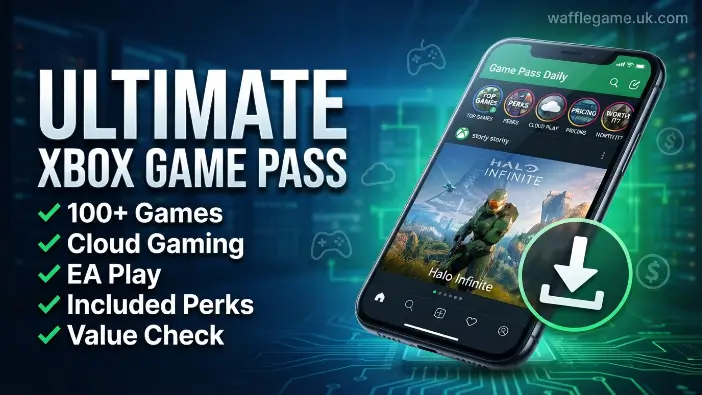
One of the main reasons gamers choose Xbox Game Pass Ultimate is the wide range of premium features included with a single subscription. Rather than paying for multiple gaming services separately, members can enjoy access to hundreds of games, Xbox Cloud Gaming, online multiplayer, EA Play, exclusive discounts, and special member rewards.
This all-in-one approach provides greater convenience and value while giving players more ways to enjoy their favorite games across supported devices. Whether you play occasionally or spend hours gaming every day, Xbox Game Pass Ultimate offers a comprehensive gaming experience with a regularly updated library, new content, and additional benefits for members.
Access to Hundreds of Games
One of the main highlights of Xbox Game Pass Ultimate is its constantly growing game library. Subscribers can explore a diverse selection of games across popular genres, including action, adventure, RPG, racing, sports, simulation, strategy, family-friendly, and indie titles. With Microsoft regularly updating the Game Pass catalog, members have plenty of opportunities to discover new experiences and try different types of games without purchasing each title separately.
Some of the key benefits of the game library include:
- Hundreds of games available to download.
- New titles added regularly throughout the year.
- Games from Xbox Game Studios.
- A selection of popular third-party releases.
- Indie games and lesser-known titles worth exploring.
- Games available across supported Xbox consoles and Windows PCs.
The Game Pass library is continuously updated, meaning new games are added while some existing titles eventually leave the service. Microsoft generally announces upcoming changes ahead of time, giving members an opportunity to finish games before they leave or purchase selected titles at a discounted price if they want to keep playing them after removal.
Day-One Game Releases
A standout feature of Xbox Game Pass Ultimate is access to day-one releases from Xbox Game Studios. One of the biggest advantages of Xbox Game Pass Ultimate is the ability to access many first-party games on the day they officially launch. Instead of waiting for a sale or paying the full retail price for each new release, subscribers can start playing eligible titles as soon as they become available through the service.
Key benefits of day-one releases include:
- Immediate access to eligible new Xbox first-party games.
- No separate purchase required for included titles.
- The ability to try new releases without paying the full retail price.
- Greater value for gamers who play several new games throughout the year.
For players who regularly enjoy new releases, day-one access can make Xbox Game Pass Ultimate particularly worthwhile. It provides a convenient way to experience major Xbox launches without having to purchase every eligible game individually.
Xbox Cloud Gaming
Xbox Cloud Gaming allows subscribers to stream supported games directly from Microsoft’s cloud servers With Xbox Cloud Gaming, subscribers can play supported titles without downloading large game files. As long as you have a stable internet connection and a compatible device, you can start gaming without waiting for lengthy downloads or installations. This makes the service a convenient option for playing at home or while on the go.
Key benefits of cloud gaming include:
- Play supported games without lengthy downloads or installations.
- Continue your progress across compatible devices.
- Save valuable storage space on your console or PC.
- Start playing quickly with a reliable internet connection.
This feature is particularly useful for players with limited storage or those who regularly switch between devices. Instead of downloading and reinstalling games, you can stream supported titles and continue playing with greater convenience.
EA Play Membership
Every Xbox Game Pass Ultimate subscription includes an EA Play membership at no additional cost. This gives subscribers access to a selection of popular Electronic Arts games, along with various member benefits and rewards that add more value to the overall subscription.
Key EA Play benefits include:
- Access to a selection of EA games.
- Member-exclusive in-game rewards.
- Special challenges and member content.
- Early access or trials for selected upcoming EA titles.
- Discounts on eligible EA digital purchases.
For gamers who enjoy EA’s sports, racing, action, and other popular titles, the included EA Play membership provides an easy way to expand their game library without paying for a separate subscription.
Online Multiplayer Benefits
With Xbox Game Pass Ultimate, subscribers also receive online multiplayer access, allowing them to Xbox Game Pass Ultimate also includes online multiplayer, allowing subscribers to compete or team up with friends and players around the world. Whether you prefer competitive matches, cooperative adventures, or casual gaming with friends, you can enjoy supported multiplayer experiences as part of the same subscription.
Key multiplayer benefits include:
- Online competitive gaming.
- Cooperative multiplayer experiences.
- Party chat with friends and other players.
- Cross-platform multiplayer for supported games.
- Access to selected multiplayer events and community activities.
Including online multiplayer in the subscription means eligible players don’t need a separate Xbox online multiplayer membership. This makes Xbox Game Pass Ultimate a convenient option for gamers who regularly play with friends or compete online.
Member Discounts & Exclusive Perks
Along with its game library and multiplayer features, Xbox Game Pass Ultimate members can also enjoy exclusive discounts, special rewards, and additional perks throughout the year. These blog benefits can help subscribers save money on selected purchases while providing access to extra content and offers that may not be available to non-members.
Some of the available perks may include:
- Discounts on selected games.
- Savings on eligible downloadable content (DLC).
- Exclusive in-game items and content.
- Complimentary member rewards.
- Special promotions from Microsoft and participating partners.
The available perks can change over time, but they provide additional value beyond the core subscription features. When combined with the extensive game library, EA Play, Xbox Cloud Gaming, and access to eligible day-one releases, these benefits make Xbox Game Pass Ultimate a comprehensive option for gamers looking for more value from a single subscription.
Xbox Game Pass Ultimate Pricing & Available Plans
Microsoft offers several Game Pass plans designed to meet the needs of different types of gamers. Each plan comes with its own combination of features, game access, and member benefits, so the right choice depends on how and where you prefer to play.
While all Game Pass subscriptions provide access to a selection of games, the available features can vary between plans. If you want day-one releases, play across multiple supported devices, and prefer premium features such as Xbox Cloud Gaming and EA Play, Xbox Game Pass Ultimate provides the most comprehensive package.
Comparing the different Game Pass plans can help you understand what each subscription offers and choose the option that best matches your gaming preferences and budget.
Monthly Subscription Cost
The monthly price of Xbox Game Pass Ultimate is higher than other Game Pass plans because it brings several premium gaming services together in one subscription. While the exact price can vary by country, taxes, and local pricing, the included features can provide strong value for gamers who play regularly or would otherwise spend money purchasing multiple games and services separately.
With a single subscription, members can enjoy:
- Access to hundreds of games.
- Day-one releases from Xbox Game Studios.
- Xbox Cloud Gaming on supported devices.
- An included EA Play membership.
- Online multiplayer access.
- Exclusive member discounts, rewards, and other perks.
By combining these benefits into one membership, Xbox Game Pass Ultimate can be a cost-effective option for frequent gamers. Instead of purchasing every eligible new game or paying separately for multiple gaming services, subscribers can access a broad range of features through a single monthly plan.
Available Game Pass Plans
Microsoft currently offers multiple Game Pass subscriptions, each designed for a different type of gamer. Whether you play only on a console, exclusively on a PC, or across multiple devices, there’s a plan that matches your needs.
| Plan | Best For | Key Features |
| Game Pass Core | Console players who mainly play online | Online multiplayer, selected game library, member discounts |
| Game Pass Standard | Console gamers wanting a larger game catalog | Expanded game library, discounts, selected member benefits |
| PC Game Pass | Windows PC gamers | PC game library, EA Play, member discounts, selected day-one releases |
| Xbox Game Pass Ultimate | Players using multiple devices | Console & PC library, Xbox Cloud Gaming, EA Play, online multiplayer, day-one releases, exclusive perks |
Each subscription has its own advantages, but Xbox Game Pass Ultimate stands out by combining every major Game Pass feature into one complete package, making it the best choice for players who want maximum flexibility.
Which Plan Offers the Best Value?
The best Game Pass plan depends on how you play, which devices you use, and the features you need. Casual gamers may be perfectly comfortable with a more basic subscription, while players who use multiple platforms or want premium features may get more value from Xbox Game Pass Ultimate.
Choose Game Pass Core if you:
- Mainly play online on an Xbox console.
- Need basic online multiplayer access.
- Want a more affordable subscription option.
Choose PC Game Pass if you:
- Primarily play games on a Windows PC.
- Want access to the PC Game Pass library.
- Are interested in included EA Play benefits.
Choose Game Pass Standard if you:
- Want access to a larger console game library.
- Don’t require every premium Game Pass feature.
- Prefer a subscription between the basic and premium options.
Choose Xbox Game Pass Ultimate if you:
- Play games on both Xbox and PC.
- Want access to eligible day-one releases.
- Use Xbox Cloud Gaming.
- Enjoy games included with EA Play.
- Regularly play online multiplayer games.
- Want the widest range of Game Pass features in one subscription.
For gamers who regularly switch between platforms or want the most comprehensive selection of features, Xbox Game Pass Ultimate can offer the strongest overall value. Its combination of a broad game library, cloud gaming, multiplayer access, EA Play, and other member benefits makes it a convenient all-in-one option.
Supported Devices and Platforms
One of the key advantages of Xbox Game Pass Ultimate is its cross-platform compatibility, which allows you to enjoy supported games across multiple devices with a single subscription. Whether you prefer playing on an Xbox console, Windows PC, smartphone, or compatible smart TV, you can sign in with the same Microsoft account and access supported gaming features.
This flexibility makes it easier to switch between devices and continue your gaming experience without being tied to a single platform. For players who use different devices, Xbox Game Pass Ultimate provides a convenient way to enjoy gaming wherever and whenever it suits them.
Xbox Consoles
Xbox Game Pass Ultimate works with supported Xbox consoles, including the Xbox Series X and Series S. Subscribers can explore the Game Pass library, download supported games directly to their console, and enjoy online multiplayer with friends. Since downloaded games are installed locally, players can benefit from reliable performance and take advantage of the features available through their Game Pass membership.
Console players can also enjoy:
- Fast game downloads.
- Automatic updates for supported games.
- Access to eligible day-one releases.
- Exclusive member discounts and offers.
- Cloud save synchronization for supported games.
These features help create a smooth and convenient gaming experience. With automatic updates and cloud saves, players can keep their games current and continue their progress across supported Xbox devices.
Windows PC
Windows PC users can access a wide selection of games through the Xbox app, making Xbox Game Pass Ultimate a convenient option for PC gamers. Many supported titles offer keyboard and mouse controls, while others can be played with a compatible controller, allowing players to choose the setup that works best for them.
PC gamers can also enjoy:
- Access to games included with EA Play.
- Regular updates to the Game Pass library.
- Exclusive member offers and discounts.
- Cross-save support for selected games.
These features make it easier to switch between an Xbox console and Windows PC when supported by the game. With cloud saves available for compatible titles, players can continue their progress across supported devices without having to start over.
Mobile Devices
With Xbox Cloud Gaming, subscribers can stream supported games directly to compatible smartphones and tablets without downloading large game files. With a stable internet connection, players can enjoy supported titles from almost anywhere, making it easier to fit gaming into their daily routine.
Key benefits include:
- Play supported games from almost anywhere with a reliable internet connection.
- Continue saved progress across compatible devices.
- Enjoy cloud gaming without requiring high-end mobile hardware.
This feature is especially useful for players who travel frequently or want the flexibility to enjoy their games without carrying a console or gaming PC. Xbox Cloud Gaming provides a convenient way to access supported titles when traditional gaming hardware isn’t available.
Smart TVs & Web Browsers
Xbox Game Pass Ultimate also supports Xbox Cloud Gaming on compatible smart TVs and modern web browsers, allowing players to stream supported games without needing a dedicated Xbox console. This makes the service more accessible to gamers who want to enjoy their favorite titles on different devices.
Depending on the device and supported setup, you may need:
- A compatible controller.
- A Microsoft account.
- An active Xbox Game Pass Ultimate subscription.
- A stable, high-speed internet connection.
With support for multiple platforms, Xbox Game Pass Ultimate gives players greater flexibility in how and where they enjoy supported games. This broad compatibility, combined with cloud gaming and other premium features, makes the subscription a versatile option for gamers who don’t want to be limited to a single device.
Pros and Cons of Xbox Game Pass Ultimate
Like any gaming subscription, Xbox Game Pass Ultimate comes with both advantages and limitations. It offers strong value by combining a large game library, Xbox Cloud Gaming, EA Play, and online multiplayer into one membership. However, its features and pricing may not suit every type of gamer.
Understanding the main strengths and drawbacks can help you determine whether Xbox Game Pass Ultimate fits your gaming habits, budget, and preferred features. By considering both the benefits and limitations, you can make a more informed decision before choosing the subscription.
Advantages
One of the main strengths of Xbox Game Pass Ultimate is that it brings several premium gaming services together under one subscription. Instead of purchasing every new game individually or paying for multiple memberships, subscribers can access a large selection of games, exclusive perks, and cross-platform features through a single plan. This makes it a potentially cost-effective choice for both casual and dedicated gamers.
Some of the key benefits include:
- Access to hundreds of supported games.
- Day-one releases from Xbox Game Studios.
- An included EA Play membership.
- Xbox Cloud Gaming on supported devices.
- Online multiplayer without requiring a separate subscription.
- Exclusive discounts on eligible games and downloadable content (DLC).
- Support across Xbox consoles, Windows PCs, and compatible mobile devices.
- Regular library updates with new titles added throughout the year.
These features make Xbox Game Pass Ultimate particularly appealing to players who enjoy discovering new games, playing online with friends, and accessing a wide range of gaming benefits without having to purchase every eligible title separately.
Limitations
Although Xbox Game Pass Ultimate offers a wide range of benefits, it also has some limitations that are worth considering before subscribing. The drawbacks can vary depending on your gaming habits, internet connection, location, and the types of games you prefer to play. Understanding these factors can help you decide whether the subscription is right for you.
Some of the main limitations include:
- Games may eventually leave the Game Pass library.
- Xbox Cloud Gaming requires a stable internet connection for a smooth experience.
- Not every third-party game is available on the service on its release day.
- Certain features and game availability may vary by region.
- The monthly cost may not provide enough value for players who only play a small number of games each year.
Considering these limitations alongside the subscription’s benefits can help you set realistic expectations and choose the Game Pass plan that best matches your gaming needs and budget.
| Pros | Cons |
| Huge library of games | Games rotate out of the catalog |
| Day-one releases from Xbox | Cloud gaming depends on internet quality |
| Includes EA Play membership | Regional availability may vary |
| Online multiplayer included | Ongoing monthly subscription cost |
| Supports multiple devices | Not all third-party games launch on day one |
Is Xbox Game Pass Ultimate Worth It?
For many gamers, Xbox Game Pass Ultimate can be a worthwhile investment because it combines a large game library, online multiplayer, Xbox Cloud Gaming, and EA Play in one subscription. Instead of purchasing multiple games throughout the year, subscribers can access a wide selection of titles for a single monthly fee.
Whether the subscription is right for you ultimately depends on how frequently you play, which devices you use, and how much you benefit from its included features. If you regularly try new games, play online, or use multiple supported devices, Xbox Game Pass Ultimate can offer significant value and convenience.
Best For Casual Gamers
If you play games occasionally and enjoy exploring different genres, Xbox Game Pass Ultimate can offer excellent value. Instead of purchasing every new release individually, you can explore a wide selection of games through one subscription. This makes it easier to discover new favorites without paying a large upfront cost for each title.
The subscription can be particularly useful for casual gamers who:
- Play for a few hours each week.
- Enjoy trying different games before settling on favorites.
- Want an affordable way to access a large game library.
- Like playing online with friends.
For casual players, the variety of available games and included features can provide more value than purchasing several individual titles throughout the year. It offers a convenient way to experiment with different games while keeping gaming costs more predictable.
Best For Hardcore Players
Dedicated gamers can get even more value from Xbox Game Pass Ultimate, particularly if they play frequently and enjoy keeping up with new releases. Features such as day-one releases, EA Play, and Xbox Cloud Gaming make the subscription a convenient choice for players who want access to a wide range of games across multiple supported devices.
The subscription can be especially beneficial for gamers who:
- Enjoy playing eligible day-one releases.
- Regularly participate in online multiplayer games.
- Own both an Xbox console and a Windows PC.
- Use Xbox Cloud Gaming when traveling or away from their main gaming setup.
- Want the additional games and benefits included with EA Play.
For active gamers, these features can provide strong value over time by reducing the need to purchase multiple games and separate gaming services. The flexibility to play across supported devices also makes it easier to enjoy gaming in different situations.
When It May Not Be the Right Choice
Although Xbox Game Pass Ultimate offers a wide range of features and benefits, it may not be the right choice for every gamer. If you only play occasionally or primarily use one platform, you may not get enough value from all the features included with the Ultimate plan.
You may want to consider a lower-tier Game Pass plan if you:
- Only play one or two games each year.
- Prefer buying and permanently owning your games.
- Rarely use online multiplayer features.
- Have limited or unreliable internet access for Xbox Cloud Gaming.
- Mainly use one gaming platform and don’t need Ultimate’s additional features.
If these points better reflect your gaming habits, choosing a lower-tier Game Pass subscription could be a more affordable and practical option. Comparing the available plans based on the features you actually use can help you avoid paying for benefits you don’t need.
Real-World Examples
| Gamer Type | Is Xbox Game Pass Ultimate Worth It? | Reason |
| Casual gamer | Yes | Affordable access to a wide variety of games |
| Competitive multiplayer player | Yes | Includes online multiplayer and member perks |
| PC-only gamer | Maybe | PC Game Pass may provide enough features |
| Console and PC gamer | Yes | Full cross-platform support and premium benefits |
| Occasional gamer | Depends | Monthly subscription cost may outweigh actual usage |
Overall, Xbox Game Pass Ultimate offers the best value for gamers who play regularly, enjoy discovering new titles, and want the convenience of an all-in-one gaming subscription across multiple devices. Its combination of premium features, flexibility, and an ever-growing game library makes it one of the strongest gaming subscriptions available today.
Tips to Get the Most Value from Xbox Game Pass Ultimate
While Xbox Game Pass Ultimate already provides plenty of value, making the most of its features can help you get even more from your subscription. Here are some practical ways to maximize your membership:
- Discover New Releases Regularly
Check the Game Pass library regularly to find newly added titles and hidden gems. Since the catalog changes over time, staying updated can help you discover games you might otherwise miss. - Use Xbox Cloud Gaming
Take advantage of Xbox Cloud Gaming to stream supported titles without downloading them. This can help save storage space, let you try games more quickly, and give you another way to play when you’re away from your main gaming device. - Explore EA Play Benefits
Make the most of the included EA Play membership by exploring its available game collection and member benefits. Selected EA titles may also offer trials or other perks, giving you additional ways to enjoy your subscription. - Take Advantage of Member Discounts
Use available member discounts when purchasing eligible games, downloadable content (DLC), or add-ons. If a game you enjoy is scheduled to leave the Game Pass library, a member discount may make purchasing it a more convenient option. - Manage Downloads and Storage
Remove games you no longer play to keep your console or PC storage organized. When supported, you can also use Xbox Cloud Gaming instead of downloading a game, leaving more storage available for titles you play regularly.
Common Mistakes to Avoid
Although Xbox Game Pass Ultimate is easy to use, many subscribers don’t take advantage of all the features included with their membership. Avoiding a few common mistakes can help you get more value from your subscription, save money, and enjoy a smoother gaming experience.
- Choosing the Wrong Subscription Tier
Before subscribing, take some time to compare the available Game Pass plans. If you primarily play on a Windows PC, PC Game Pass may provide everything you need. However, players who use both Xbox and PC or want access to premium features may find Xbox Game Pass Ultimate more suitable. - Ignoring Xbox Cloud Gaming
Some players download every game instead of using Xbox Cloud Gaming. When available for a supported title and device, streaming can reduce download times, save storage space, and make it easier to play across compatible devices. - Missing Exclusive Member Perks
Microsoft may offer member-only rewards, discounts, and promotional benefits through Game Pass. Checking the available perks regularly can help you take advantage of limited-time offers and included content. - Forgetting to Manage Auto-Renewal
If you don’t want your subscription to renew, review your auto-renewal settings before the next billing date. Managing this setting in advance can help prevent unwanted renewal charges and gives you better control over your membership.
Frequently Asked Questions
Can I keep playing games if they are removed from Xbox Game Pass Ultimate?
No. Once a game leaves the Game Pass library, you’ll need to purchase it separately to continue playing. However, subscribers usually receive a discount if they buy the game before it leaves.
Do I need an Xbox console to use Xbox Game Pass Ultimate?
No. You can also use Xbox Game Pass Ultimate on a Windows PC, compatible mobile devices, supported smart TVs, and web browsers through Xbox Cloud Gaming.
Is Xbox Game Pass Ultimate suitable for beginners?
Yes. It’s a great option for beginners because it provides access to a large collection of games, allowing new players to explore different genres without buying each game individually.
Can multiple people use one Xbox Game Pass Ultimate subscription?
A single subscription is tied to one Microsoft account, but features like console sharing can allow other users on the same Xbox console to access eligible Game Pass benefits in certain situations.
How often does Microsoft add new games to Xbox Game Pass Ultimate?
Microsoft updates the Game Pass library regularly, adding new games every month while occasionally removing older titles to keep the catalog fresh and engaging for subscribers.
Conclusion
Xbox Game Pass Ultimate has established itself as a comprehensive gaming subscription, bringing together a large game library, day-one releases, EA Play, online multiplayer, and Xbox Cloud Gaming under one membership. Its support across Xbox consoles, Windows PCs, compatible mobile devices, and supported smart TVs also gives players greater flexibility in how and where they play.
Whether you’re a casual gamer who enjoys discovering new titles or a dedicated player who wants access to eligible releases from day one, Xbox Game Pass Ultimate offers a convenient way to get more from your gaming budget. By understanding the available features, comparing Game Pass plans, and taking advantage of the included benefits, you can make an informed decision and get the most out of your subscription.